Start free
Sign in Start free

Free plan. No credit card. No client signup. No social accounts to connect.

FOR SOCIAL MEDIA FREELANCERS & SMALL AGENCIES

Stop collecting client approvals across email and DMs

Share a whole batch of posts in one private link. Clients approve or request changes on each post — no account needed.

ApprovePost review workspace beside the focused client review page connected by one review link
You see every decision in one place. Your client just taps Approve or Request changes.

2 client reviews free · No credit card · No client account

  • One link for the whole batch
  • No client account
  • Feedback stays with each post
  • Keep your current scheduler
How it works

From finished posts to client approval in three steps.

Create the review, share one link, and see every decision in one place.

Create a client review

Add the posts, captions, images, and videos you want your client to review.
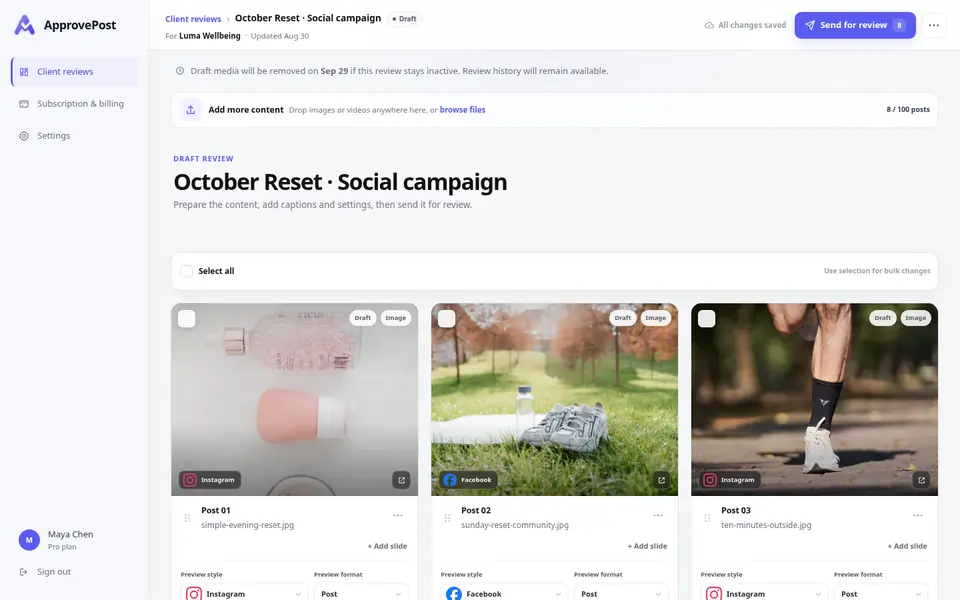
Current ApprovePost creator workspace with three realistic Luma Wellbeing draft posts ready to send for review
Real creator workspace

Share one private link

Send it however you already communicate — email, WhatsApp, or DM.
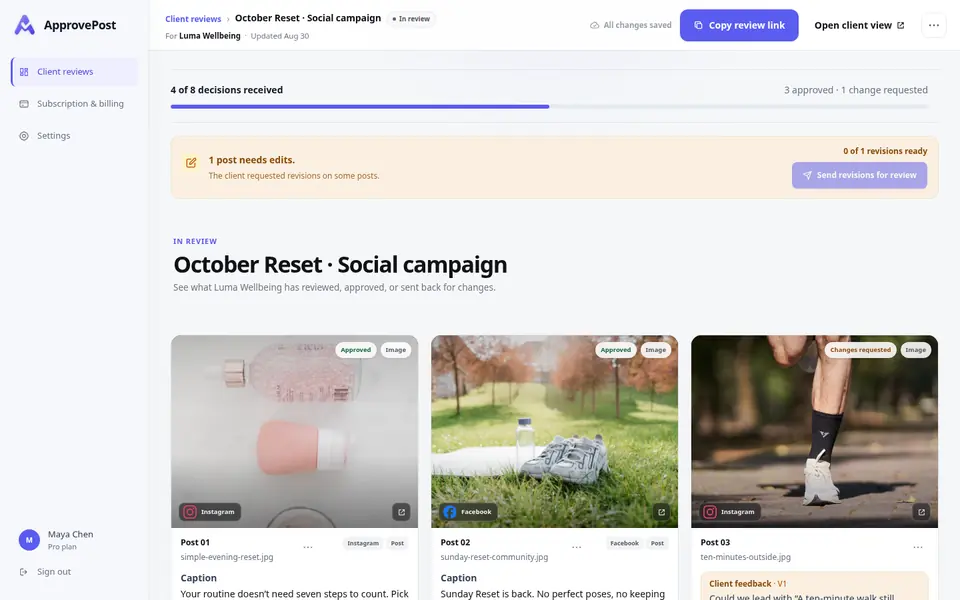
See every decision

Your client approves or requests changes on each post. Feedback and status stay with the right content.
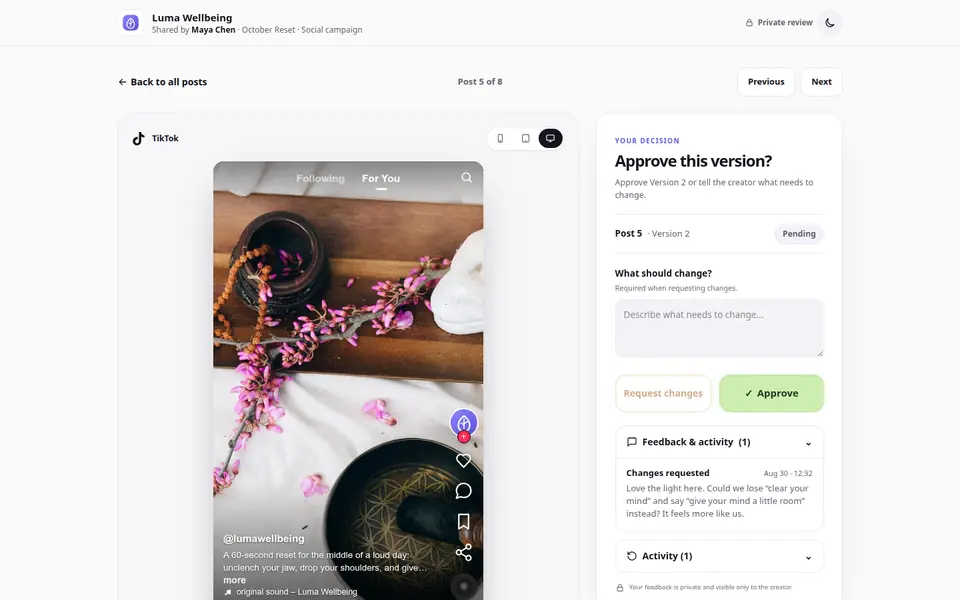
Current ApprovePost public review with a Luma Wellbeing post and clear Request edits and Approve decisions
Real client decision screen
Made for client decisions

Your client opens one link. That's it.

No account. No onboarding. No new tool to learn.

ApprovePost client review overview with eight Luma Wellbeing posts and clear approval statuses
One private linkNo client account or onboarding
ONE PLACE FOR FEEDBACK

Keep the content, feedback, and decisions together.

No more matching “looks good”, change requests, and approvals back to files in email, DMs, or shared folders. Each decision stays with the right post.

  • Feedback stays with the right post No searching through messages to figure out which post your client meant.
  • Know exactly where every post stands See what's approved, what needs changes, and what's still waiting.

Scattered feedback

  • Email“Can we change the text?”
  • WhatsApp“Use the other image”
  • You“Is this approved?”

One focused review

Real ApprovePost mobile review for Luma Wellbeing with the content, caption, feedback, and approve or request edits actions together
Real client viewNo account required

From an ApprovePost user

Customer testimonial

Some of my clients aren't very tech-savvy, so keeping approvals simple matters. They can open the link, review the content, and approve it without having to learn another tool.

Social Media Manager ApprovePost Pro user
Simple pricing

Start with 2 client reviews free

Use the full approval workflow. Upgrade to Pro when you need more.

Both plans include: Client approvals, change requests, revisions, and client activity tracking. Files up to 500 MB each.

FOR YOUR FIRST CLIENT REVIEWS

Free

$0

Try ApprovePost with 2 real client reviews.

  • 2 client reviews total
  • Full approval workflow
  • 10 posts per review
  • ApprovePost-branded review page
  • 2 GB review media storage
  • Reviews available for 30 days after activity
Start free

No credit card required.

FAQ

Questions before your first review link.

Is one review link for the whole content batch?
Yes. One private review link contains the whole batch of posts in that review. Your client can view the batch and approve or request changes on each post.
Does ApprovePost send anything to my client?
No. ApprovePost creates the private review link; you share it with your client through email, WhatsApp, DM, or any channel you already use. ApprovePost does not automatically send the link or client reminders.
Does my client need an account?
No. Clients can open the private review link and review the content without creating an ApprovePost account.
Can I keep using my current scheduler?
Yes. Keep the scheduler you already use. ApprovePost handles client review and approval; once a post is approved, you publish it through your usual scheduler.
How do change requests and revisions work?
Your client requests changes with feedback on a specific post. You update the caption or media and resubmit it for approval through the same review link. The history records each submission and decision with its version number; ApprovePost is not a permanent archive of earlier media files.
Does ApprovePost publish posts to social media?
No. ApprovePost covers the approval step that happens before publishing. You publish from the scheduler you already use, after content is approved.
Is the review link private?
Yes. Each review has a private link with a unique token and is not listed publicly. Anyone with the link can open it, so share it only with the people who should review the content.
What happens after my 2 free reviews?
Free includes 2 client reviews total. After both are used, creating another review requires Pro. Existing Free reviews stay available for their normal 30-day availability window after meaningful activity; deleting a sent review does not restore the free allowance.
What content and file types can I review?
You can review social posts with captions, images, and videos. ApprovePost supports JPG/JPEG, PNG, WebP, MP4, and MOV. Browser-compatible previews are prepared while originals stay unchanged.
What is a social media approval tool?
A social media approval tool gives creators and clients one place to review posts and captions, request changes, and record final approval before publishing. ApprovePost does this through a private review link without requiring the client to create an account.
Start free

Share your next content batch in one private review link.

Add your posts, share the link, and keep every approval or change request tied to the right post.

2 client reviews free · No credit card · No client account